By Faheem R. Khattak | Facts checked 23 November 2026
Google Maps is no longer just a map. For most of your customers it has become the place where a decision gets made: they ask a question in plain language, read a short AI-written summary instead of scrolling through hundreds of reviews, preview your shopfront in three dimensions before they leave home, and increasingly let the app book the table, order the food, or call your business to find an appointment. The pin on the map is still there, but it is no longer the product. The product is the answer.
That change matters more to a local business than to anyone else. When a customer typed “pizza near me” into a search box, your listing competed on three things Google has always named: how relevant your profile is, how close you are, and how prominent your business is. When a customer now asks “find me a quiet pizza place open late that is good for a group of six and easy to park at”, your business is judged on whether the AI can find a specific, true answer about you in your profile data, your reviews, and your photos. A thin listing gives the AI nothing to say, and a business the AI has nothing to say about is a business it passes over — silently, without ever showing the customer your name.
This guide explains every AI feature in Google Maps as it stands on 23 November 2026, what data each one pulls, how a business appears — or disappears — inside it, what you can control and what you cannot, and what to fix this week. It is written for business owners, not for engineers: every feature section ends with what it means for your business. The facts come from Google’s own announcements and help pages, listed in the Sources section at the end. One warning up front: Ask Maps changed materially on 16 November 2026, one week before this guide was written, and availability still varies by country, language, and device. Where a feature is US-first or limited, this guide says so.
For the user-facing walkthrough of the same features — how to ask, tap, and navigate as a customer — see our companion guide, What Gemini Adds to Google Maps. This article is the business half of the story: not how to use the features, but how to survive them.
The short answer: Google Maps is now an AI answer engine
Google Maps serves more than 2 billion users every month, and Google says it makes over 100 million updates to the map every single day, drawing on AI analysis of billions of images, local partners, and community contributions. Those numbers, from Google’s October 2024 announcement of Gemini in Maps, describe the scale of the machine. The change that matters to your business is simpler: the map used to show places, and now it answers questions about them.
Four capabilities make up the AI layer. First, it converses: Ask Maps, a Gemini-powered assistant inside Maps, answers complex questions in sentences rather than returning a list of pins. Second, it summarises: Gemini condenses hundreds of reviews into a short paragraph, and condenses a place — or a whole neighbourhood — into a snapshot. Third, it visualises: Immersive View rebuilds places and routes in three dimensions, and Lens turns a phone camera into a search box. Fourth, it acts: since August and November 2026, Ask Maps can order food, compare hotel and event prices, find appointment slots, and call a local business on the customer’s behalf.
None of this replaces the listing. It consumes the listing. Google’s own help page on how local listings are compiled is explicit: a listing is built from your Google Business Profile, from publicly available web content including your own website, from licensed third-party data, and from user contributions — photos, videos, and reviews. The AI summaries on top of that are compiled from place summaries, review summaries, and summaries about specific topics. In other words, everything the AI says about your business is assembled from inputs you partly control, inputs your customers create, and inputs Google licenses or crawls. The quality of the answer is capped by the quality of those inputs.
That is the one-line verdict of this guide: your listing is now an input to an answer, not the answer itself. A business that treats its profile as a digital business card — name, address, phone number, done — will increasingly find that the AI has nothing specific to say about it, while a competitor with detailed services, honest and specific reviews, fresh photos, and live hours gives the AI a paragraph of reasons to recommend them. The work that follows is not mysterious. It is the unglamorous work of keeping the facts about your business complete, current, and specific — because the machine that now introduces you to customers can only repeat what it can find.
Who is this guide for? Any business customers find on Maps: restaurants, cafés, salons, clinics, repair shops, hotels, retailers, attractions. If a customer has ever found you by searching Maps, the AI layer is now standing between you and that customer, and it is deciding what to tell them. The rest of this guide walks through each feature in turn, explains what it pulls and what it shows, and ends with a checklist you can work through in a week.
<img src="
” alt=”Smartphone on a café table showing a map with a short answer card beside a coffee cup”>
Ask Maps: questions instead of keywords
Ask Maps is the centrepiece of the whole AI layer, and the feature everything else now hangs from. Google launched it on 12 March 2026, in the United States and India, in English, on Android and iOS, as “a new conversational experience that answers complex, real-world questions a map could never answer before”, powered by Gemini. Instead of typing keywords and scrolling a list, a customer types or speaks a question — “find a quiet café with outdoor seating near the museum that is open past 9pm” — and Maps answers in sentences, with places attached.
The mechanics matter for businesses because they change what gets matched. A keyword search matches words in your profile and reviews. A conversational question matches meaning: the customer states constraints — quiet, outdoor seating, open late, good for a group, easy parking — and the AI checks them against what it knows about each place. Google says Maps analyses information from over 300 million places, including reviews from a community of more than 500 million contributors globally. The answers are multi-turn: the customer can follow up (“which of these would be easiest to park in?”), and the assistant remembers the conversation. It also personalises from places the customer has searched and saved, so the same question can produce different shortlists for different people.
Ask Maps also turns a plan into action. From the same chat a customer can book a reservation, save places to a list, and get directions — the question and the errand now happen in one place, instead of the customer asking somewhere, deciding somewhere else, and booking in a third app. That collapse is the commercial point: every step that used to give your business a chance to be found, compared, and chosen now happens inside one conversation, and your business is either in the answer or it is not in the room.
For a business, the practical consequence is that keyword-only thinking fails. A profile stuffed with the phrase “best restaurant” does not answer “quiet, good for a group, with a vegan menu”. What answers that question is specific, true information: your attributes (outdoor seating, good for groups), your menu or services, your hours, and — critically — reviews in which customers describe the experience in their own words. If nobody has ever written that your place is quiet, the AI has no evidence to offer when a customer asks for quiet. The raw material of conversational search is not your marketing copy. It is the detail in your data and the words of your customers.
Two honest limits apply. First, Google is clear that generative AI is experimental and can make mistakes, and it says so on its own blog posts about these features — an AI answer about your business can be wrong, and the remedy for a wrong answer is not to edit the answer (you cannot) but to fix the underlying information, which this guide covers in the checklist. Second, Ask Maps is still rolling out: it launched in the US and India, expanded through 2026, and reached more than 200 countries and territories after the November European expansion, but features arrive at different speeds in different places, and some remain US-first. If a customer in your market cannot yet use Ask Maps, they soon will be able to — the direction of travel is not in doubt. For the step-by-step user walkthrough, see What Gemini Adds to Google Maps. To understand which Gemini models sit behind features like this one, see Gemini Models Explained: Flash vs Pro — and What Google AI Ultra Really Is.
Ask Maps, November 2026: itineraries, route tips and saved lists
On 16 November 2026 — one week before this guide was written — Google gave Ask Maps its biggest update since launch. The announcement, from Google Maps product director Maz Khorasani, added four capabilities, and each of them changes how businesses get chosen. This is the freshest material in this guide, and it is worth understanding in detail, because it shows where Maps is heading: from answering single questions to planning whole days and handling the booking.
First, step-by-step trip itineraries. A customer can now ask Ask Maps to plan a day — or several days — and get a day-by-day schedule with insider tips and numbered map pins, built around live traffic, whether each stop is open or closed, and even the “vibe” at the next stop. The itinerary can be adjusted on the fly in chat, shared with others, reopened later from chat history through an “itinerary” badge, and exported to Google Docs on desktop. Google’s own account of the update is covered in our news report, Google Maps Now Plans Your Trip — and Calls the Salon for You, published 21 November 2026.
The business angle of itineraries is bundling. A customer planning a day no longer picks five businesses one by one from five separate searches; the AI assembles a route — a morning stop, a lunch spot, an afternoon activity, a dinner venue — and each business is chosen as part of a sequence. Being the stop the AI picks matters more than ranking seventh in a list, because the customer may never see the list. What makes a business pickable for an itinerary is fit with the day: opening hours that match the slot, a location that sits naturally on the route, and a clear identity — the kind of place that belongs in a day built around a theme. A restaurant that is described in reviews as “a great lunch stop after the museum” is exactly the kind of evidence an itinerary-builder can use; a restaurant described only as “great food” is not.
Second, “Know before you go” route tips. Inside directions, Ask Maps now surfaces practical advice for the journey: where to park, where to charge an electric vehicle, what the weather will be, whether there are delays, and what tolls to expect. Third, saved-list search: a customer can ask “which spots saved in my lists have availability for five people in the next 30 minutes?” and Maps checks live availability across the places they have already saved. Both of these reward the same thing — live, accurate operational data. Parking information, EV charging details, and real availability are no longer nice-to-have profile decorations; they are inputs to answers the customer sees before deciding.
Fourth, the expansion. With Ask Maps reaching 30 European countries — including Spain, Germany, and the United Kingdom — Google says it now brings Ask Maps to more than 200 countries and territories globally. The availability split is worth stating exactly, in Google’s own words: “Travel itineraries and list search are available everywhere Ask Maps is offered. ‘Know before you go’ route tips and finding appointments are launching first in the U.S., with more regions coming soon.” That split is a pattern across this whole guide — the headline features go wide, while the features that touch money and phone calls start in the US. If you operate outside the US, the itinerary and list-search features are the ones your customers can use today, and the agentic features in the next section are the ones to prepare for.
When Maps starts doing the errand: ordering, bookings and appointments
The most consequential shift in Maps in 2026 is not that it answers questions. It is that it now does the errand. In August 2026 Google added agentic capabilities to Ask Maps — the app can act on the customer’s behalf — and in November 2026 it extended them to appointment finding, including calling local businesses. For a business, this is the point where the AI stops being a discovery channel and becomes a customer.
Food ordering came first. Since August 2026, a customer can ask Ask Maps to order a dish; the assistant finds open restaurants along the route, takes saved places and dietary needs into account, and adds the dish to the cart for the user to review and complete. The launch partners were Square and Toast, with Uber Eats described as coming soon, and Google said it was co-developing a Universal Commerce Protocol for Food with partners. Hotels and events arrived in the same update: Ask Maps compares real-time prices and checks availability, and shows concerts and comedy shows with ticket links. The customer is no longer browsing your menu and then deciding whether to order — the assistant is assembling the order and presenting it for approval.
Then, in November 2026, came appointments. Google’s wording is worth quoting because it is so direct: a customer can “choose to have Ask Maps find beauty, pet care, auto and home repair appointments online and call local businesses for you”. The example Google gives is “Find me a 4 p.m. nail appointment near me” — the assistant shows open slots across nearby businesses and can phone the business to make the booking. Our news desk covered this update on 21 November 2026 in “Google Maps Now Plans Your Trip — and Calls the Salon for You” (linked in the previous section).
The business angle here is unforgiving, and it is entirely about data freshness. An AI that books appointments can only book the slots it can see. If your online booking system is disconnected, your hours are stale, or your availability feed is out of date, the assistant does not call you to ask — it shows the customer the businesses whose slots it can see, and yours is skipped silently. The customer never learns you were an option. The same applies to food ordering: if the dish the customer asked for is not on the menu the assistant can see, or the restaurant reads as closed, the order goes elsewhere. There is no “maybe” in an agentic answer — the assistant either has a live, bookable fact or it moves on.
There are also boundaries a business should understand. Food ordering, hotel and event discovery, and conversational contributions were US-first at launch, with more countries to come; appointment finding is likewise launching first in the US. The live transit widget, personalised responses, and conversation memory, by contrast, are available everywhere Ask Maps is offered. Google has published no pricing, fees, or commission figures for ordering, appointments, or hotel booking through Ask Maps, and this guide invents none — if a fee structure exists for your market, it will come from the ordering or booking partner, not from Google’s announcements. And the phone call deserves a thought of its own: when an AI calls your business, the person who answers needs to be able to take a booking from a caller who is not a person. That is a small operational detail — a script at the front desk, a booking link that actually works — and it is exactly the kind of detail that decides whether the new channel produces revenue or produces missed calls.

AI summaries: what customers read instead of your reviews
Ask a regular Maps user what they read before choosing a restaurant and the honest answer is usually: the summary, not the reviews. Since October 2024, Google Maps has shown a short Gemini-written review summary on place pages — “find out what people like about a place by reading the helpful review summarized with Gemini”, in Google’s words from the launch post. One paragraph now stands in for hundreds of individual reviews, and for most customers that paragraph is the whole reputation of the business.
There are three kinds of summary, and they do different jobs. Review summaries condense what customers say about one place: common sentiment and practical tips, drawn from reviews. Place summaries give an at-a-glance snapshot of a single place. Area summaries describe a neighbourhood — what it is like, what is there — and can include detail such as electric-vehicle charging amenities nearby. All three are powered by Gemini, and all three reached general availability in Google’s Places API in September 2025, after an experimental launch; the consumer Maps app shows the same summary types, though the API availability dates are not the same as consumer-app availability dates, and this guide does not present them as such.
The rules governing review summaries are documented in Google’s own help page on local listings, and they matter more than any marketing advice about them. A review summary is based on reviews from the past year and is updated regularly to reflect recent opinions; Google may show how many reviews were used. And — this is the part owners most often miss — a summary is not shown for every place. Google says review summaries are not available for all places, “due to factors like limited reviews or a lack of consistent themes”. A business with few reviews, or with reviews that say nothing in particular, gets no summary at all. A business with many reviews that repeat the same themes gets a summary that repeats those themes, for better or worse.
That is why the summary is, in effect, a mirror of the last twelve months of your customers’ experience. If the same complaint appears again and again — slow service on weekends, confusing parking, a dish that is always cold — the summary will say so, because the summary is compiled from those reviews. If customers keep praising the same three things — the terrace, the breakfast, the staff remembering regulars — those three things become the business’s public description, repeated to every customer who opens the listing. The summary does not invent a reputation. It compresses the reputation you already have.
What can you do when the summary is wrong? The honest answer is narrower than most owners would like, and Google’s help page states it plainly. You cannot edit a review summary. The summary changes only as the underlying reviews change over time. What you can do is fix the underlying experience that produced the reviews, encourage honest reviews that reflect the business as it is now, and suggest an edit or flag genuinely wrong factual information on the listing for removal. There is no lever labelled “rewrite my summary”, and anyone selling one is selling something Google does not offer. The practical routine is simple and unglamorous: read your own summary once a month, read the last twelve months of reviews the way the AI reads them — looking for repeated themes — and fix the repeated complaint before you worry about anything else. The sibling surface matters too: the same review and profile data feeds AI Overviews and AI Mode in Google Search, so the summary problem is not confined to Maps.

Asking about one place: the question bar on your listing
Ask Maps answers questions about places in general. A second feature answers questions about one specific place — yours. Since October 2024, a customer opening a place page in Maps can ask that place a question directly: does it have outdoor seating, is it quiet, is it good for groups, what is the dress code, is parking easy? The answers are generated from review text. The customer is not reading your description of yourself. They are reading what other customers said, reorganised into an answer.
The distinction matters. Your listing can claim “quiet, romantic atmosphere” all day; if every review mentions a loud bar and a packed Friday night, the answer to “is it quiet?” will say so, because the evidence comes from the reviews. Conversely, a business that has never thought to describe itself as “good for working lunches” can be recommended for working lunches because five reviewers happened to mention laptops, Wi-Fi, and long unhurried afternoons. The question bar turns the incidental detail in reviews into a searchable product attribute — and it does so without the owner ever being consulted.
The business angle follows directly: specific, experience-rich reviews are the raw material, and generic reviews give the AI nothing to quote. “Great service, loved it” is a kind review and a useless one for this purpose — it contains no fact the AI can turn into an answer. “The terrace is shaded after 4pm and the staff let us stay for three hours with the kids” is an answer to four different questions a future customer might ask. You cannot write your customers’ reviews, and you must not try to script them — Google’s rules prohibit paying or rewarding people for reviews, asking only happy customers, and discouraging negative reviews — but you can create the experiences worth describing, and you can ask customers, honestly and without cherry-picking, to share what the visit was actually like.
There is also a structural change behind this feature that owners should know about. In October 2026 our news desk reported that Ask Maps had replaced Business Profile Q&A — the old questions-and-answers section on profiles, where owners and customers posted questions and anyone could answer, has given way to AI answers drawn from reviews. We report that change here on the basis of our own news coverage — Ask Maps Replaced Business Profile Q&A — An AI Now Answers Your Customers — because Google’s own deprecation page for the Q&A section was not re-read in this run, and this guide states only what its sources support. The practical meaning is the same either way: the place where a customer used to ask a human a question is now a place where an AI answers from your reviews. The reviews are the answers now.
Immersive View for places: customers tour you before they visit
Long before Ask Maps existed, Google was rebuilding how a place looks on a map. Immersive View for places fuses billions of Street View and aerial images into a three-dimensional model of a place, with weather, traffic, and busyness layered on top, and a time slider so the customer can see what the place looks like at different times of day. It launched in 2022 in five cities — London, Los Angeles, New York, San Francisco, and Tokyo — and by October 2024 Google said it had expanded to 150 cities, including Brussels, Kyoto, and Frankfurt, with new categories such as college campuses. That 150-city figure is the last total Google has published; this guide does not update it, because no newer total exists in Google’s own pages.
For a customer, the experience is a preview: they can look around a place before committing to the journey, check what the area feels like, and see the building in context rather than as a pin on a flat map. For a business, the experience is a vibe check that now happens before arrival. The customer forms an impression of your street, your entrance, and your surroundings before they have spent a minute travelling — and that impression is built from Street View imagery and aerial photography, not from your own photos. Your shopfront, in the widest sense, now includes the pavement outside it, the building next door, and the view down the street.
That has two practical consequences. First, the exterior and the entrance are part of the product in a way they were not when a customer only saw your listing photo. A faded sign, a shuttered-looking frontage, scaffolding that Street View captured months ago — all of it is now part of the first impression, and it is an impression you do not control directly. What you can control is the freshness of the imagery around you: keeping your own photos current, making sure your storefront is legible and welcoming in real life, and remembering that the street-facing side of the business is now a marketing asset. Second, the time slider makes busyness visible. A customer can see when a place is typically crowded, which means “we are always packed” is no longer a claim on your website — it is a pattern on the map.
One caution about scope: Immersive View for places is a visual preview, not a booking tool and not a review. It will not tell a customer whether your food is good. What it does is remove the uncertainty of arrival — what the place looks like, where the door is, what the street is like — and uncertainty of arrival is one of the quiet reasons customers choose the familiar option over the new one. A business that is easy to picture is easier to choose.

Immersive View for routes: the journey is the preview
If Immersive View for places lets a customer preview the destination, Immersive View for routes lets them preview the journey. Rolled out from October 2023 in major cities, it renders a driving, walking, or cycling journey in three dimensions, with a time slider that simulates traffic and weather at different times of day, and highlights parking locations and complex turns along the way. The original rollout list named fifteen cities in 2023; that list is now three years old, and this guide deliberately does not reproduce it as current — the feature has expanded since, and presenting a 2023 list as today’s coverage would be wrong.
The customer value is obvious: a journey you can see in advance is a journey you are more willing to start. A complicated interchange, a one-way system, a stretch of road that floods in rain — all of it is visible before the customer sets out, instead of being discovered halfway there. Google’s route preview is, in effect, a rehearsal, and rehearsals remove the fear of getting it wrong.
The business angle is arrival friction. A business that is hard to reach loses customers before they set out, and now that friction is visible in advance. If parking is scarce, if the entrance is around the back on a one-way street, if the last half-mile involves a confusing turn — the customer sees it in the preview and may simply choose the competitor with the easy approach. This is not a problem you can solve with a better profile description. It is a problem you solve with accurate, specific information: where to park, which entrance to use, what the approach looks like, and — where it is true — that parking is available. That information belongs in your profile attributes and your website, because it is exactly the information a route preview makes the customer care about.
There is a second, quieter effect. A route preview turns the journey into part of the experience of visiting you. A scenic approach, a pleasant walk from the station, a waterfront path — these are now selling points the customer can see for themselves, and they are selling points no competitor can copy by editing a listing. If the journey to your business is genuinely pleasant, say so, and make sure the photos and the street-level reality support the claim. The preview will show the truth either way.

Immersive Navigation: the drive in 3D
The third member of the Immersive family is the one the customer actually drives with. Immersive Navigation, launched with Ask Maps on 12 March 2026, is a three-dimensional driving view: buildings, overpasses, and terrain rendered in 3D, with lanes, crosswalks, traffic lights, and stop signs shown as they appear on the road, and guidance built around landmarks rather than distances — turn after the red-brick building, not in 300 metres. Google described the launch as its biggest navigation update in over a decade, and the March 2026 announcement is the source for the claims in this section: a 3D route view, landmark-based guidance, lane and signal detail, and a US-first rollout. This guide does not invent a city list or a wider launch date for it, because Google’s own announcement does not provide one.
Arrival guidance is the part owners should pay attention to. As the customer approaches, the navigation lights up the building and the entrance, shows nearby parking, reminds them to save their parking location, and then offers walking directions from the car to the door, with Street View and augmented-reality orientation to help them find it on foot. The last hundred metres of a journey — the part where customers most often give up, circle the block, and go somewhere else — is now guided step by step.
The business angle is the landmark. In a navigation system that says “turn after the red-brick building”, the recognisable buildings on a street become navigation anchors, and a recognisable, well-signed storefront is one of them. A business with clear, legible signage, a distinctive frontage, and an entrance that is easy to identify from the road is easier to arrive at — and easier for the system to point to — than a business hidden behind a blank façade with a small sign. This is the same point the Lens section makes from the pedestrian side, and it is worth repeating because it is cheap to fix and easy to overlook: being findable from the street is now a technical input to navigation, not just a matter of kerb appeal.
There is also a limit worth stating. Immersive Navigation is a driving view, not a discovery tool. It does not choose your business for the customer; it gets them to the business they have already chosen. Its value to you is entirely in the last mile: fewer customers lost to a confusing approach, fewer phone calls asking “where exactly are you?”, and fewer visits abandoned because the destination was hard to identify. If your entrance is genuinely hard to find — a side door, a shared building, a courtyard — that is information to put in your profile and on your website, plainly and specifically, because the navigation will guide the customer to the building, and then the customer still has to find the door.
Lens in Maps: the camera is the search box
There is a kind of customer who never types anything at all. They are standing on a street, looking at a row of shops, and they want to know what is in front of them. Lens in Maps is built for them. Tap the Lens icon in the search bar, lift the phone, and the camera becomes the search box: point it at a building and Maps identifies nearby places — ATMs, transit stations, restaurants, coffee shops, stores — using AI and augmented reality. It was formerly called Search with Live View, and it expanded to more than 50 new cities, including Austin, Las Vegas, Rome, São Paulo, and Taipei, in the October 2023 update.
The feature has grown since then in a direction that matters for this guide. According to Google’s own help page, you can now use Lens in Maps to answer place-related questions with Gemini: point the camera at a shop, restaurant, or landmark, tap the microphone, and ask “Why is this place popular?”, “Do they take walk-ins?”, or “How tall is the building?” The answer comes from what Maps knows about the place. Lens also offers augmented-reality walking navigation — a view through the camera with directions overlaid — and helps orient the customer with distances to landmarks, and can calibrate the blue-dot location using the camera.
The requirements are practical and worth knowing. Lens in Maps works in areas Street View covers, is available only in select countries, needs a device compatible with ARKit or ARCore, and asks for camera permission on first use. Google’s help page also states plainly that Lens in Maps is not intended for use in a moving vehicle, and its troubleshooting advice — use it outdoors, in good light, pointing at buildings and signs across the street, where Street View is available — tells you exactly what the feature needs to work: a clear view of a legible street. One limit this guide observes carefully: the help page read for this guide is Android-focused, so no claim is made here about iOS availability or parity.
For a business, Lens changes what foot-traffic discovery rewards. A customer walking down a street no longer needs to know your name or your category; they need to be able to see you. Signage that is legible from across the street, a storefront that is clearly a café rather than a blank wall, a building that looks like what it is — these are now inputs to a search, in the most literal sense: the camera has to be able to read the street. A beautiful interior that is invisible from the pavement does not exist for a Lens user. The fix is physical and cheap: make the outside of the business say what the business is, clearly, in large letters, with nothing in the way.
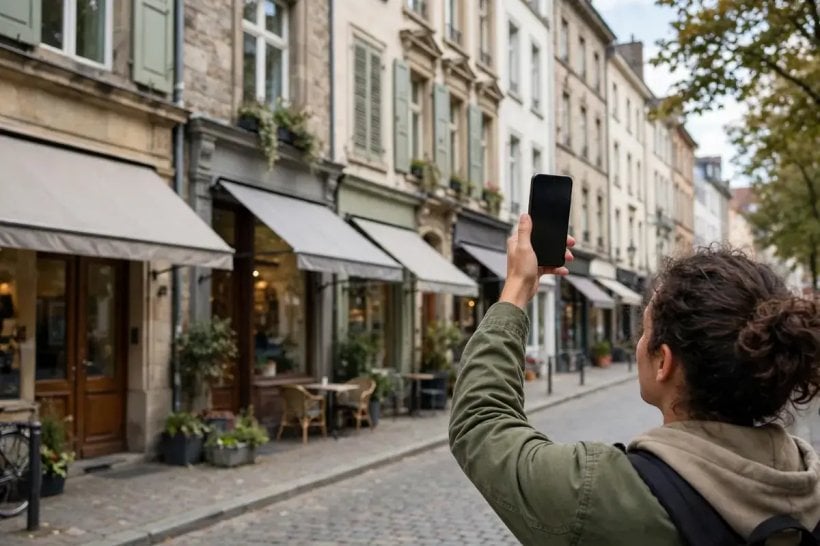
Photo-first search: discovery through pictures
Some searches are not really searches for a place. They are searches for a feeling, and the customer expresses it with a description: “animal latte art”, “pumpkin patch with my dog”. Since October 2023, Google Maps has answered descriptive queries like these with photo-first results — photographs first, listings attached — based, in Google’s words, on “the analysis of billions of photos shared by the Google Maps community — all done with AI and advanced image recognition models”. The feature rolled out in France, Germany, Japan, the United Kingdom, and the United States, and it sits alongside thematic results: searching “things to do” returns themed groups such as anime, cherry blossoms, or art exhibitions.
This is a discovery channel that most businesses ignore, because it does not look like marketing. The photos that drive it are not yours. They are your customers’ photos — the dish as it actually arrived, the dog on the patio, the mural on the wall, the view from the window seat. When a customer searches for a feeling and your business appears because a photograph taken inside it matches, the photograph did the selling, and it did it without a single word of copy. A photo of a latte with animal art is an answer to a search the business never knew existed.
The business angle is therefore about encouraging real photographs, not about producing them yourself. Your own photos matter — Google’s ranking guidance explicitly recommends adding photos and videos to a profile — but the photo-first channel runs on community photos, and those only exist if customers take them and upload them. A business that is photogenic in real life — a dish worth photographing, an interior with a detail worth capturing, a dog-friendly patio that invites a photo — will accumulate the raw material. A business that discourages photography, or that looks identical to every competitor, will not. And the quality bar is authenticity: a stock-style image of a generic latte does not match a search for a specific experience, because the AI is matching images to descriptions of real places, not to marketing.
There is a useful discipline here for owners who like to control their image. You cannot control which customer photos the AI surfaces, and you should not try — the photos are the evidence, and the evidence is the point. What you can control is whether the place is worth photographing and whether the moments customers photograph are the ones you would choose. Put the photogenic thing where the light is good. Make the signature dish look the way it looks in the photos you are proud of. And when a customer posts a photograph that shows your business at its best, say thank you — it is doing work no advertisement can do, in a search you will never see.

Gemini in the car: the voice that drives the decision
The last place a customer can type is a car. That is why the voice layer of Maps matters, and why it is the final feature in this guide’s tour. Gemini is now the voice inside navigation: a driver can ask for help, change plans, and get answers without touching the phone, and the answers are the same conversational answers Ask Maps gives everywhere else — which means the same business data feeds them. A driver who asks “find a coffee shop open now with parking on the way to the airport” is asking the same question a pedestrian would ask, with one difference: they cannot scroll through a list to check the answer. They take the first good answer and drive to it.
Two related features sit alongside the in-car voice. Waze conversational reporting, announced in October 2024, lets drivers report hazards in natural speech — “there is a flooded road ahead” — instead of tapping through menus, which feeds the live road data that route tips and Immersive Navigation rely on. And Personal Intelligence, announced in August 2026, is the personalisation layer behind the voice: with the customer’s opt-in, Ask Maps can connect to Gmail — Calendar was described as coming soon — so that flights and dinner reservations factor into the answers. Google is explicit that connecting to Gmail is off by default and that the customer decides whether to connect. It is opt-in, and it stays opt-in.
The business angle of voice-first discovery is brevity. A voice answer has no room for a paragraph of qualifications. The facts that win in voice are short, true, and machine-readable: open now, closes at 10pm, parking on site, good for groups, serves breakfast until 11. A business whose key facts are buried in a long description, or contradicted by stale hours, loses to a business whose facts are crisp — not because the second business is better, but because its facts survive being spoken aloud. If you take one action from this section, make it this: read your own profile as if it were being read aloud by a voice assistant in a moving car, and fix anything that sounds vague, out of date, or hedged.
One claim in this section carries an attribution, and the guide states it openly. Gemini in Google Maps on Apple CarPlay was covered by our own news desk in October 2026 — see Gemini Arrives In Google Maps Navigation On Apple CarPlay — but Google’s own announcement of the CarPlay feature was not read in this run, so the CarPlay detail is presented here on the basis of our news coverage, not as Google-verified fact. That distinction is the standard this guide applies throughout: what Google’s own pages say is stated as Google’s; what our news desk reported is attributed to our news desk; and what nobody verified is not stated at all.
How a business gets picked — or passed over
Every feature in this guide runs on the same pipeline, and understanding the pipeline is more useful than memorising the features, because the features will keep changing and the pipeline is the part that decides whether you appear in any of them. Google’s help page on local listings describes it plainly. A listing is compiled from four sources: your Google Business Profile; publicly available web content that Google crawls, including your own official website; licensed third-party data; and user contributions — factual information, photos, videos, and reviews, including contributions from owners through their Business Profile. The AI summaries layered on top are compiled from one or more sources of information, including place summaries, review summaries, and summaries about specific topics.
Underneath the AI layer sits the ranking floor, and it has not changed. Google’s Business Profile help page names three factors for local ranking: relevance, how well the profile matches what the searcher is looking for — complete and detailed information helps here; distance, how far the place is from the searcher; and prominence, how well known the business is, which takes in review count and positive ratings as well as links from other websites. And the sentence every owner should memorise: “There’s no way to request or pay for a better local ranking on Google.” No advertisement, no subscription, and no optimisation service can buy a rank that Google does not sell.
Put the two together and the mechanism is plain language, not magic. A customer asks a question in a sentence. The AI matches that sentence against profile data, review text, and photos. A business with thin or stale inputs gives the system nothing specific to match, so it is not matched — it disappears, not because it was penalised, but because there was nothing to say about it. A business with detailed services, attributes, hours, and reviews full of specific experience gives the system a paragraph of material, and that material becomes the answer. The AI does not invent a recommendation for a business it knows nothing about. It can only repeat, reorganise, and summarise what it can find.
That is also why ranking can feel volatile. Google updates its search and local systems regularly, and a business that was visible last month can find itself less visible this month without having done anything wrong — the inputs changed, the competition changed, or the system changed. For the wider context on how Google’s updates move visibility, see Google Algorithm Updates Explained. The honest limit, which this guide states plainly because Google states it: Google promises no business a recommendation. You can give the system everything it needs to recommend you, and it may still pick the competitor whose evidence fits the customer’s question better. What you control is the quality of your evidence. What you do not control is the choice.
It is worth placing this in the wider shift it belongs to, because the same problem now faces websites as well as shopfronts. The discipline of getting cited by AI answers — on ChatGPT, Perplexity, and AI Overviews as well as in Maps — is what the industry calls GEO, generative engine optimisation. The Maps version is the local analogue of the same problem: an AI answer stands between you and the customer, and the answer is built from your published material. For the website side of that problem, see GEO Explained: How to Get Your Content Cited by ChatGPT, Perplexity and AI Overviews, and for where Maps AI answers sit among the different kinds of answer engine, see AEO vs GEO vs SEO: What’s Actually Different. The lesson is the same in both places: the AI cites what is specific, current, and corroborated, and it passes over what is thin, stale, or self-contradictory.

The action checklist: what to fix this week
Everything in this guide reduces to a week’s work. Each item below is tied to a verified fact from Google’s own pages, and each one is concrete enough to finish in an afternoon. Work through them in order.
- Verify and complete your Business Profile. Check every field: categories, services, hours including special hours, and attributes such as parking and Wi-Fi. Google’s own guidance says complete and accurate information makes a business more likely to show up. For the full setup walkthrough, see Google Business Profile in 2026: The Complete Guide — this guide does not re-teach setup; it links to the guide that does.
- Audit what Ask Maps says about your business. Open Maps and ask it the questions your customers actually ask — “is this place quiet?”, “good for a group of six?”, “open late on Fridays?” — and read the answers as a customer would. Note every answer that is wrong, vague, or missing, and trace it to the input that caused it: a missing attribute, a stale hour, a review theme.
- Read your last twelve months of reviews the way the AI does. Review summaries are compiled from reviews from the past year. Look for repeated themes, not individual complaints. If the same complaint appears three times, that is the summary in draft form. Fix the repeated complaint first — the experience, not the review.
- Ask customers for specific, honest reviews — and only honest ones. Ask every customer, not just the happy ones, and never pay or reward anyone for a review, never ask only happy customers, and never discourage negative reviews. Google’s rules prohibit all three. What you want is not five stars; it is specific words about real experiences, because specific words are what the AI can quote.
- Keep photos fresh and real. Update your exterior, entrance, interior, and dish or service photos regularly, and make sure customer photos have something worth photographing — the signature dish, the terrace, the view from the window seat. Photo-first search and Immersive View both run on images, and stale or stock-style images give the AI nothing to match.
- Keep hours, availability, and booking links live. Agentic features skip stale data silently: an appointment finder cannot book a slot it cannot see, and a food-ordering assistant cannot order a dish that reads as unavailable. Check that your booking system, your hours, and your menu or service list agree with each other, every week.
- Reply to reviews. Google’s ranking guidance recommends responding to reviews, and replies do double work: they show future customers that the business listens, and they add current, specific text to the record the AI reads. A short, genuine reply beats a polished template.
- Check your review summary monthly, and suggest edits for factual errors. Read the summary on your listing once a month. If it states something factually wrong about the business, suggest an edit or flag the information for removal through Google’s own tools. Remember what you cannot do: you cannot edit the summary itself. It changes only as the underlying reviews change.
- Make the storefront legible from the street. Clear signage, a recognisable frontage, an entrance that is easy to identify from the road and the pavement — these now feed Lens, Immersive View, and Immersive Navigation directly. Walk across the street, look back at your business, and ask whether a stranger with a phone camera could tell what it is.
- Measure through your Business Profile performance data — and know what to do when the AI is wrong. Watch how customers find you and which queries bring them, and investigate a sudden drop the way you would investigate a broken sign: check the inputs first. When the AI states something wrong about your business, suggest an edit or flag it; there is no direct summary-editing tool, and no one who claims to sell you one is telling the truth.
And what not to do. Do not buy reviews, and do not pay for them — Google prohibits it, and a summary built on bought praise collapses the first time real customers write about the real experience. Do not stuff keywords into your profile — keyword-stuffed text does not answer a conversational question, and it makes the profile less trustworthy to the humans who read it. And do not pay anyone for a better local ranking, because there is no such thing to buy; Google says so in plain language.
The change Maps has gone through in 2026 is easy to overstate and easy to understate. It has not abolished the listing, and it has not abolished local ranking — relevance, distance, and prominence still sit underneath everything. What it has done is put an AI answer between your business and your customer, and that answer is built from your profile, your reviews, and your photos. The businesses that do well in that world will not be the ones with the cleverest tricks. They will be the ones whose facts are complete, current, and specific, whose customers describe real experiences in their own words, and whose shopfronts can be recognised from the street. That is a week’s work, and it is work worth doing now — because the customer who asks Maps a question this week is already getting an answer, and the only question left is whether that answer mentions you.

Sources
Facts in this article were checked on 23 November 2026 against the following Google sources. External links in this article go only to these sources.
- Google Blog, Lalitha Ramani, 12 Mar 2026 — “Ask anything about any place on Maps with Gemini” — blog.google/intl/en-in/products/explore-communicate/ask-anything-about-any-place-on-maps-with-gemini/
- Google Blog, Maz Khorasani, 16 Nov 2026 — “Ask Maps holiday travel features 2026” — blog.google/products-and-platforms/products/maps/ask-maps-holiday-travel-features-2026/
- Google Blog, Miriam Daniel, 6 Aug 2026 — “Order food in Ask Maps” — blog.google/products-and-platforms/products/maps/order-food-in-ask-maps/
- Google Blog, Miriam Daniel, 31 Oct 2024 (updated 19 Mar 2026) — “Gemini in Google Maps navigation updates” — blog.google/products-and-platforms/products/maps/gemini-google-maps-navigation-updates/
- Google Blog, Chris Phillips, 26 Oct 2023 (updated 19 Mar 2026) — “Google Maps October 2023 update” — blog.google/products-and-platforms/products/maps/google-maps-october-2023-update/
- Google Maps Help — “Lens in Maps” — support.google.com/maps/answer/9332056
- Google Local Listings Help — “How Google sources and uses information in local listings” — support.google.com/local-listings/answer/9851099
- Google Business Profile Help — “Tips to improve your local ranking on Google” — support.google.com/business/answer/7091/improve-your-local-ranking-on-google
- Google Maps Platform Blog, 23 Sep 2025 — “Discover more, faster: AI-powered summaries for places, areas and reviews are now generally available” — mapsplatform.google.com/intl/ja_jp/resources/blog/discover-more-faster-ai-powered-summaries-for-places-areas-and-reviews-are-now-generally-available/
Checked 23 November 2026. Availability of individual features varies by country, language, and device; where this article states a feature is US-first or limited, that reflects Google’s own announcements as of the checked date.



0 Comments