
How to Audit a Site After a Google Core Update: A Step-by-Step Recovery Playbook

Checked 22 November 2026. The short answer: if your traffic fell after a Google core update, do not touch your content yet. First confirm the update has actually finished rolling out, wait at least a full week after it completes, and only then compare your Search Console data against the week before the rollout started. The November 2026 core update began on 10 November 2026 and, at the time of writing, is still rolling out — Google has posted no completion message and no statement about what the update changes. That means no reliable diagnosis of this particular update is possible before about 1 December 2026. The playbook below is what to do when that window opens, plus the checks you can safely run right now — technical faults and manual actions — without editing a single page. Every fact in this article comes from Google’s own documentation and status feed, read in full on 22 November 2026: the Google Search Status Dashboard, Google Search Central’s core updates guide, its guide to debugging drops in search traffic, its guide to creating helpful, reliable, people-first content, and Google Search Console Help on disavowing links.
1. The short answer: don’t touch anything yet
<img src="

” alt=”A hand hovering over a laptop keyboard without typing, with a clock on the desk beside it” />
Your traffic is down. Your first instinct will be to fix something — rewrite the homepage, delete the pages that fell, change the titles, buy a tool that promises recovery. Resist all of it. The single most common mistake site owners make after a core update is changing things before they know what actually happened, and Google says so explicitly: avoid “quick fix” changes, and do not edit content that is already performing well.
Here is the situation as it stands on 22 November 2026. Google’s Search Status Dashboard shows the November 2026 core update began on 10 November 2026 at 18:06 UTC, applies globally and to all languages, and “may take up to 2 weeks to complete”. The dashboard entry has no end date and no completion update — the only update on the incident is the original release note. This is day 12 of the rollout, and the two-week window Google estimated at launch runs to around 24 November 2026. Google has said nothing about what this update changes: no blog post, no named systems, no guidance beyond the standard release text.
Google’s own diagnosis method makes the timing non-negotiable. First, confirm the rollout has finished on the Search Status Dashboard. Then wait at least a full week after it completes. Then compare that week with a week before the rollout started. If the November 2026 update completes around 24 November, the earliest week you can honestly analyse is the first week of December — around 1 December 2026. Anyone selling you an “audit” of this update before then is reading noise: rankings are still moving while the rollout runs, and a comparison made mid-rollout compares a moving target against a stable one.
That does not mean you sit idle for two weeks. There are checks you can safely run right now, and they are the checks that catch the problems a core update never causes: a server that started returning errors, a page that lost its indexation, a manual action, a security warning. Those are covered in Step 5 of this playbook, and none of them involves editing your content. Everything else — the content triage, the rewrites, the deletions — waits until the data is trustworthy.
One more thing to settle before you go further: a core update is not a penalty, and it does not target your site. Google describes core updates as significant, broad changes to its search algorithms and systems, made several times a year. They do not target specific sites or individual web pages. If your pages dropped, it does not necessarily mean you did anything wrong — other pages may simply have been reassessed as more helpful. That distinction matters, because it changes the entire job: you are not clearing a penalty, you are finding out whether your content still measures up, and fixing it if it does not.
2. How a core update actually works (the 60-second version)

Google explains core updates with a restaurant list. Imagine you made a list of your 20 favourite restaurants. A year later, new restaurants have opened, some old ones have changed chefs, and you reassess the list. Some restaurants move down. They are not necessarily “bad” restaurants — the list simply changed because the competition changed. That is what a core update does to search results: a broad reassessment of how content measures up, not a punishment handed to individual pages.
Two consequences follow from that analogy, and both shape the audit. First, because the reassessment is broad, a drop can happen to a page that has not changed at all. Your content can be exactly as good as it was last month and still rank lower, because the pages around it were judged more helpful this time. Second, because the reassessment is about helpfulness rather than a specific fault, there is no single “fix” to apply. Recovery — when it happens — comes from making the content genuinely more helpful for readers, not from undoing a specific error.
There is one more piece of the picture worth knowing. Smaller, unannounced core updates run continuously, so improvements to your content can show effect without waiting for the next major core update. Google says exactly that: you do not necessarily have to wait for a major update for your improvements to be recognised. That matters for expectations, which we cover honestly in the final section.
This section is deliberately short. The full explainer — what each update family is, how core updates differ from spam updates and helpful-content changes, and the timeline of recent updates — lives in our companion guide, Google Algorithm Updates Explained: Core, Helpful Content, Spam and Reviews. Read it if you want the background. This article is the practical playbook: which report to open, in what order, what each pattern means, and what to fix first.
One plain-language note on the machinery, for readers who want it without the jargon: ranking systems are machine-learning systems that weigh hundreds of signals about a page — its words, its freshness, its links, how people interact with it — and combine them into an ordering. BERT, one of the named systems inside that machinery, helps Google understand the meaning of queries in context rather than matching keywords one by one; our explainer BERT, Llama, Whisper and RAG Explained goes into depth, and How Does AI Work covers the underlying ideas. You do not need to understand any of this to run the audit — but it helps to know that no single signal, and no single tweak, decides where a page lands.
3. Step 1 — Confirm the dates: was it even the update?
Every audit starts with the calendar, not with Search Console. Open the Google Search Status Dashboard — the public incidents feed at status.search.google.com — and write down three dates: the day your traffic started falling, the day the core update rollout started, and the day it finished (when Google posts the completion message). The audit only makes sense if those dates line up.
For the current update, the dates are: the November 2026 core update began on 10 November 2026, and as of 22 November 2026 it has not finished. If your drop started on, say, 12 or 13 November, the update is a plausible cause — but only a plausible one, and only once the rollout completes and the waiting week passes. If your drop started before 10 November 2026, it is not this update. Something else caused it, and the rest of this playbook — especially Step 5, which rules out the five other causes — is where your answer lives.
This is the single most common misdiagnosis in search, and it is easy to see why. A site owner notices a drop, searches for recent Google news, finds a core update that started “around then”, and concludes the update did it. But “around then” is doing a lot of work. A drop that began on 5 November, five days before the rollout, cannot have been caused by a rollout that had not started. A drop that began on 20 November, ten days into the rollout, might be the update — or might be the server outage that happened the same day, or the section of pages that lost its internal links when a template changed. Dates first, theories second.
Record the dates in writing, with the source next to each one. A simple note is enough: “Traffic drop began 13 Nov 2026 (Search Console Performance report, clicks). November 2026 core update began 10 Nov 2026 (Search Status Dashboard). Rollout completion: not yet posted as of 22 Nov 2026.” You will need these dates again in Step 3, when you choose the comparison windows, and again in Step 5, when you check whether a site move or a technical fault lines up with the drop instead.
While you are on the dashboard, note the recent history for context. The verified 2026 timeline, all from the same dashboard feed, is: a March 2026 core update (27 March–8 April), a March 2026 spam update (24–25 March), a May 2026 core update (21 May–2 June), a June 2026 spam update (24–26 June), an August 2026 spam update (18–21 August), a September 2026 spam update (24 September–8 October), and the November 2026 core update from 10 November, still rolling out. Notice the range of rollout lengths in that list: the March spam update took about a day; the September spam update took two weeks; the December 2025 core update took about three weeks. Google publishes no “typical” rollout length, and the “up to 2 weeks” estimate attached to the November update is an estimate at launch, not a deadline — past core updates have overrun it. Do not assume the update will finish on 24 November just because the estimate says so; check the dashboard and go by what Google actually posts.
Finally, a note on what not to use as your date source. Third-party rank trackers will show volatility spikes during any core update, and SEO news sites will report them loudly. A tracker spike is not proof the update hit your site, and it is certainly not proof of which pages it hit. Your site’s own Search Console data is the evidence; everything else is weather reporting. Use the dashboard for the rollout dates and Search Console for your traffic dates, and treat everything else as background noise until the audit says otherwise.
4. Step 2 — Read the traffic pattern before opening any page
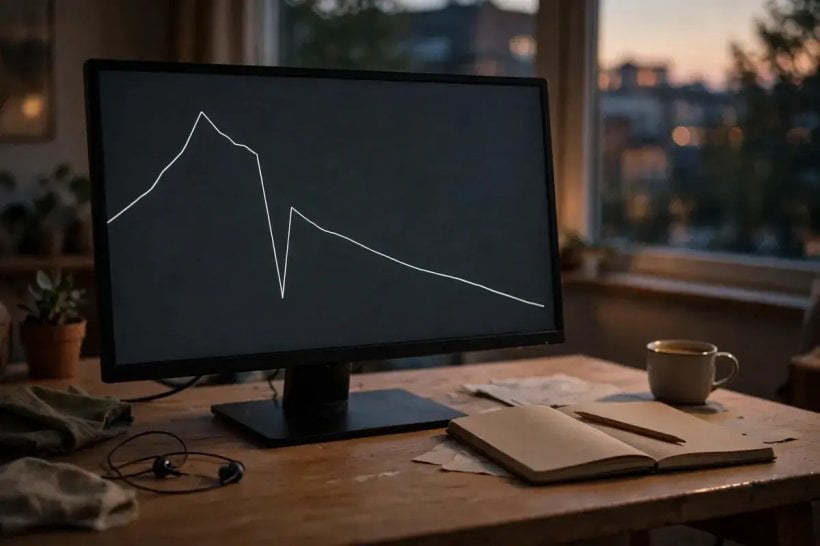
Open Google Search Console and go to the Performance report. Before you click into any single page or query, look at the shape of the chart. The shape is the first diagnostic, and Google’s own debugging guide is built around it. Four shapes cover almost every case, and each one points somewhere different.
A sharp cliff on one day. Traffic falls off a ledge overnight. This shape rarely means a ranking reassessment — reassessments roll out gradually. A cliff points to a technical fault or a reporting glitch: the site went down, a deploy broke the templates, a robots.txt change blocked crawling, or Search Console itself had a data-processing problem. Check the Data Anomalies page in Search Console first — Google maintains it precisely because a drop can be a logging error rather than a real traffic change — and then check the Page indexing report and Crawl stats for a spike in errors on the same date. If the cliff lines up with a deploy or a server incident, you have found your cause, and it has nothing to do with the core update.
A gradual slide starting on an update date. Traffic declines steadily over days or weeks, beginning around the day a rollout started. This is the shape a core-update reassessment makes: rankings shift as the rollout progresses, and the decline accumulates. It is also, importantly, the shape a slow technical problem makes — a misplaced noindex tag, for example, causes a slower drop because pages only disappear as Google recrawls them. So a gradual slide is consistent with the update, but it does not prove it. Steps 5 and 6 exist to separate the two.
A repeating annual dip. The chart falls at the same time every year. Switch the Performance report to the 16-month date range — Google’s debugging guide recommends this specifically — and look for the pattern repeating. A gardening site that dips every winter, a tax-advice site that dips every summer, a gift guide that collapses every January: these are seasonality, not ranking losses. The 16-month view is what makes the pattern visible; a 28-day view hides it completely. If the dip repeats, the “loss” is your audience’s calendar, and no amount of content editing will bring January’s gift shoppers back in February.
Impressions steady, but clicks falling. This is the most misread pattern of all. Your pages are still showing up in search results about as often as before — impressions have barely moved — but fewer people are clicking. The ranking has not necessarily changed at all. Something above your result is taking the click instead: an AI Overview answering the question directly, a richer result with a better presentation, or a competitor’s title and snippet that now reads more appealingly. Google’s debugging guide names exactly this check: if impressions hold and clicks fall, look at titles and snippets and at what sits above your result. Our guide How to Use Google’s AI Search Features Without Losing the Classic Web Results explains what those AI features look like from the reader’s side, and How to Turn Off AI on Google Search shows how to check what a results page looks like without them. The fix here is not rewriting the page — it is rewriting the title and snippet, which is a Step 10 and Step 11 job, not a content job.
Two practical notes before you move on. First, look at the four metrics together — clicks, impressions, average position, and click-through rate — not clicks alone. A fall in clicks with steady impressions and a steady average position is a different problem from a fall in clicks with falling impressions and a falling average position, and the two demand different fixes. Second, remember that average position is a secondary signal. Google says it plainly in its debugging guide: “Impressions and clicks are ultimately the measure of success.” A page can drop from position 2 to position 4 — which looks alarming — while losing almost no clicks, because positions 2 and 4 on a results page are both visible. That distinction is the subject of the next classification step, and it is why the guide warns against drastic action over small drops.
5. Step 3 — Compare the right windows

Most bad audits fail here, in the comparison. The method Google prescribes is precise, and each part of it exists to prevent a specific self-inflicted error. Follow it exactly.
The method. First, confirm the rollout has finished on the Search Status Dashboard. Second, wait at least a full week after it completes. Third, compare that week with a week before the rollout started. Fourth, use the same number of days in both windows, and preferably the same days of the week. Fifth, analyse the search types — Web, Images, Video, News — separately.
Why the full week after completion. Rankings move during a rollout and keep settling after it. Comparing data from the middle of a rollout against data from before it is comparing a moving target against a stable one; the gap you measure is partly the rollout still running. Google’s one-week wait exists so the new rankings have time to settle. For the November 2026 update, if the rollout completes around 24 November, the earliest honest comparison week starts around 1 December 2026. Comparing any earlier is not a shortcut — it is a different measurement, and a misleading one.
Why the same weekdays. Search traffic has a weekly rhythm. A business-to-business site gets far more traffic on weekdays than on weekends; a recipe site peaks on Saturdays. If your “before” window runs Monday to Sunday and your “after” window runs Wednesday to Tuesday, you have swapped two weekend days for two weekdays, and the comparison can easily show a double-digit percentage swing that has nothing to do with the update. Google’s debugging guide warns about exactly this: compare the same number of days, preferably the same days of the week. In Search Console, use the Compare mode in the date picker and set both ranges to the same seven weekdays.
The clean “before” week for this update. The November 2026 core update began on 10 November 2026, a Tuesday. The clean week before the rollout started is 3–9 November 2026 (Tuesday to Monday). That is the baseline to compare against once the post-rollout week is available. Write it down now, while you are thinking about it, so you do not have to reconstruct it in December: before week 3–9 November 2026; after week — the first full week starting at least seven days after Google posts the completion message. If the completion message lands on, say, 25 November, the after week is the first Tuesday-to-Monday week starting at least seven days after it — roughly 8–14 December. The exact dates depend on the actual completion date, which is why Step 1’s written record matters.
Why the search types must be separated. A drop in Web search and a drop in Image search are different events with different causes. If your image traffic collapsed while your web traffic held, the problem is in your images — their indexing, their filenames, their context — not in a broad reassessment of your content. Google’s core-updates guide and its debugging guide both say to analyse search types separately, and the Performance report lets you filter by Web, Images, Video and News with one click. A blended total hides the split; always split it.
One more caution: do not compare a 28-day period against the previous 28 days and call it an audit. That is the default view in Search Console, and it is nearly useless for a core-update diagnosis, because a 28-day window straddles the rollout — part before, part during, part after — and averages the three together. The before-and-after weekly comparison is the method; the 28-day default is the trap.
6. Step 4 — Find which pages and queries actually lost

Only now — with the dates confirmed and the comparison windows set — do you open the Pages table. In the Performance report, switch to the Pages dimension and sort by Clicks Difference. This sorts your pages by how many clicks they lost (or gained) between the two windows, biggest loss first. That sorted list is the audit’s working document: it tells you whether the damage is site-wide, confined to one section, or concentrated on a handful of pages, and each of those three answers leads to a different fix.
Site-wide loss. Nearly every page is down by a similar proportion. This points to a site-level cause: a technical problem affecting the whole site, a site move, a broad reassessment of the site as a whole, or a manual action. Check the Page indexing report for a site-wide spike in errors before you touch any content — a site-wide drop with a site-wide indexing error is a technical problem wearing a core-update costume.
One section down. A single directory or topic area has fallen while the rest of the site holds. Perhaps your /recipes/ section is down 40 percent while everything else is flat, or your product-comparison pages have dropped while your guides have not. A section-level loss usually means something about that section: its content quality as a group, a template change that affected only those pages, or a pattern — thin pages, duplicated formats, missing expertise — that the reassessment caught across the whole section at once. This is the pattern where the triage in Step 9 earns its keep, because the fix is usually a section-level decision, not a page-by-page one.
A few important pages down. Two or three of your best pages have lost heavily while the rest of the site is steady. This is the most fixable pattern and the most common one for smaller sites. The work is concentrated: those pages, and only those pages, go through content triage. Everything else stays untouched. Google’s warning against editing content that is already performing well applies here with full force — the pages that held their traffic are, by definition, performing well, and editing them “just in case” is how a small, recoverable loss becomes a large, self-inflicted one.
Then switch to the Queries tab and do the same exercise for search terms. Sort by Clicks Difference and look for the queries that lost most. The queries tell you what the pages lost for, which is often more informative than which pages lost. A page that lost traffic for one query but held it for others has a query-specific problem — perhaps a competitor published a better answer to that exact question. A page that lost traffic across all its queries has a page-level problem. And a set of pages that all lost traffic for the same cluster of queries — say, every page targeting “best budget laptop” terms — points to a topic-level reassessment, where the fix is to genuinely improve your coverage of that topic rather than tweaking individual pages.
Keep two discipline rules while you work through these tables. First, start with the top 10 losers. The audit does not require you to examine all 400 pages that each lost three clicks; it requires you to examine the pages that lost the traffic that matters. Second, treat average position as a secondary signal, as Google does. A page that fell from position 2 to position 4 has lost very little visibility and, per Google’s own guidance, needs no drastic action. A page that fell from position 4 to position 29 has fallen out of the results most searchers ever see, and that is the scale of drop that justifies a deeper assessment of the site as a whole. The numbers 2-to-4 and 4-to-29 are Google’s own examples, not ours, and they set the threshold: small drops get patience, large drops get the full audit.
7. Step 5 — Rule out the five non-algorithm causes

Google’s debugging guide lists six main causes of a traffic drop. A core update is only one of them. The audit’s job is to rule out the other five before blaming the update — because five of the six have concrete, fixable causes, and fixing the wrong one wastes weeks. Work through them in order. Only when all five are cleared is the update the likely cause.
1. Technical issues. This is the most common non-algorithm cause and the first to check. Open the Crawl stats report and the Page indexing report and look for a spike in errors on or just before the date your traffic fell. Then open the URL Inspection tool for your most-hit pages and check their index status one by one. The specific faults Google names are worth checking by name: a misplaced noindex tag or a robots.txt Disallow that blocks crawling (these cause a slow drop, because pages only disappear as Google recrawls them); 5xx server errors, which make crawlers slow down and eventually lead to indexed URLs being dropped if the errors continue; and “page not found” errors after a redesign or a URL change. Also check whether the site moved — a domain change, a move from HTTP to HTTPS, a restructuring of URLs — in the last few weeks. Google says a medium-sized site takes a few weeks for it to notice a move fully, and larger sites take longer, so a move can look exactly like an update hit until you check the dates. If any technical fault lines up with the drop, fix the fault first. It is the only cause on this list that can be repaired in an afternoon.
2. Security issues. Open the Security Issues report in Search Console. If Google has detected hacked content, malware, or phishing on your site, it will warn searchers, and your traffic will fall off a cliff — the sharp-cliff shape from Step 2. A security issue is also the one cause that can damage your readers, so it outranks everything else on this list. Clean the site, request a review through Search Console, and only then return to the audit.
3. Spam issues and manual actions. Open the Manual Actions report. This is the report that settles the most persistent confusion in search: a core update is never reported here. A manual action is a different thing entirely — a human reviewer at Google has judged that a page or site violates the spam policies, and Google tells you about it in this report, with the affected pages and the reason named. If the report is empty, there is no manual action, and no amount of “recovery” work aimed at penalties will help. If it is not empty, the manual action is your problem, not the core update, and the report itself tells you what to fix. Two supporting notes: first, Google has extended its user-generated spam guidance to AI tools, so sites with comments, forums, or user-submitted content should read our report Google Extends User-Generated Spam Guidance To AI Tools before deciding their spam exposure; second, site-reputation rules differ inside and outside the European Economic Area, so a Manual Actions reading can depend on location — see Google Quietly Drops Its Site-Reputation Penalties Across Europe for the details.
4. Seasonality and changing interests. Take the queries that lost most in Step 4 and check them one at a time in Google Trends. If the whole world stopped searching for your topic — a seasonal product, a finished sports season, a news event that has passed — the drop is in demand, not in your ranking. Google’s debugging guide prescribes exactly this check: filter the Performance report one query at a time, then compare against Trends. A query whose Trends line falls in step with your clicks is a demand story, and the fix is new content for what people are searching for now, not surgery on the page that used to rank.
5. A reporting glitch. Check the Search Console Data Anomalies page. A drop can be a data-processing or logging error rather than a real traffic change, and Google documents the anomalies it knows about on that page. If your drop lines up with a posted anomaly, wait for the data to be corrected before drawing any conclusion. This check takes two minutes and has saved more than one site owner from a month of unnecessary rewrites.
If all five come back clean — no technical errors, no security issues, no manual action, no seasonal demand collapse, no data anomaly — then, and only then, is the core update the likely cause. Note the word “likely”. Even a clean sweep does not prove the update caused the drop; it proves the other five did not. That is the honest limit of the diagnosis, and it is why the next step — classification — matters more than the label you put on the cause.
8. Step 6 — Classify the hit: thin, unhelpful, technical, or nothing wrong

Before you edit anything, classify each hit page into one of four classes. Each class gets a different fix, so classification comes before editing — and editing before classification is how pages that only needed a better title get rewritten into worse pages.
Thin. The page has little original value of its own. It mainly summarises what other pages say, restates the obvious, or covers a topic in a few hundred words where the topic plainly needs more. The test is simple: if you removed this page, would any reader lose anything they could not get from the first three results above it? If the answer is no, the page is thin. Thin pages are the most common casualties of a core update, because a reassessment that compares helpfulness will always demote a page that adds nothing. The fix is to add genuine substance — original reporting, first-hand testing, data, worked examples — or to merge the page into a stronger one on the same topic (see Step 9).
Unhelpful, or search-first. The page exists mainly to attract search visits rather than to serve a reader. Google’s people-first content guide lists the warning signs, and they are worth applying as a checklist rather than a vibe: Was the page made primarily to attract visits? Does the site cover lots of topics in the hope that some of them perform? Is the content mainly produced through extensive automation? Does it mostly summarise what others have said without adding value? Was it written about a trend because the trend might bring traffic, rather than because the site has something to say about it? Would a reader finish the page and still need to search again for the same question? Is the page’s date changed to fake freshness when the content has not substantially changed? A “yes” to several of these is a classification, not an accusation: the page was built for search engines first, and the reassessment noticed. The fix is a genuine rewrite for a real reader — or deletion, if the page cannot be honestly rebuilt. Search-first content also includes the automation trap: content produced at scale by AI tools with no human expertise behind it. Google’s own spokesperson has warned publicly that AI spam tricks will catch up with the sites that use them, as reported in Google’s Mueller Warns AI Spam Tricks Will Catch Up With You — and a core update is often the moment that warning becomes visible in the traffic data.
Technical. The page itself is fine; Google cannot crawl it, index it, or serve it properly. This is the class Step 5 already screened for, but it is worth naming separately, because a technical page can look exactly like a content casualty in the Pages table. The test is the URL Inspection tool: if the page is not indexed, is blocked, or is returning errors, the fix is technical and the content is innocent. Do not rewrite a page that Google simply cannot reach.
Nothing wrong. The page is good, it is indexed, it has no technical fault, and it still dropped. This is the reassessment case from the restaurant analogy: the page did nothing wrong, but other pages were judged more helpful this time. This class is the hardest to accept and the most important to name honestly, because its fix is not a “fix” at all — it is a genuine improvement. The page may need better evidence, fresher examples, a clearer structure, or deeper coverage than its new competitors offer. Or it may need nothing, and the honest answer is that the competition improved and you need to improve more. Either way, “nothing wrong” does not mean “do nothing”. It means the work is improvement, not repair, and improvement takes the time it takes — which is the subject of the final section.
Work through your top 10 losers from Step 4 and give each one a class. Write the class next to the page in your working notes. If you cannot decide between two classes, put the page in the worse one and let the triage in the next step settle it — but do not leave a page unclassified. An unclassified page is a page that will get the wrong fix.
9. Content-quality triage: the keep / improve / merge / delete decision

Triage is the heart of the audit. Take the most-hit pages — start with the top 10 losers from Step 4 — and apply Google’s own self-assessment questions to each one, page by page. The questions come from Google’s guide to creating helpful, reliable, people-first content, and they are the closest thing to an official rubric that exists. There are four possible decisions, and every hit page gets exactly one.
Keep. The page passes the self-assessment: it offers original information, reporting, research or analysis; it gives a substantial, complete and comprehensive description of its topic; it provides insight beyond the obvious; it delivers substantial value compared with the other pages in the results; its sourcing is clear and it shows evidence of expertise; it was written or reviewed by an expert or enthusiast who demonstrably knows the topic; and it has no easily-verified factual errors. A page that passes stays exactly as it is. Do not touch it. This is the decision most site owners skip, and skipping it is how a core-update audit turns into a site-wide rewrite that damages the pages that were fine. If the page dropped but passes every test, it is a “nothing wrong” page from Step 6, and the right response is patience and monitoring, not editing.
Improve. The page has a sound core but fails on depth, evidence, or freshness. The improvement must be meaningful and sustainable: restructure the page so a reader can follow it, add original analysis or reporting that no competitor has, include evidence — data, examples, screenshots, test results — that supports the claims, and update facts that are genuinely out of date. “Meaningful” is doing real work for the reader. Cosmetic edits — shuffling paragraphs, swapping synonyms, adding a paragraph of filler — are not improvements, and Google’s systems are built to notice the difference. A useful test before you publish a rewrite: could you explain to a reader, in one sentence, what the new version gives them that the old version did not? If you cannot, the rewrite is not finished.
Merge. Two or more thin pages cover the same topic, each too weak to stand alone. Merge them into one substantial page: combine the best material from each, redirect the weaker URLs to the survivor, and make the result the single best page on that topic your site offers. Merging is the right answer surprisingly often, because thin pages are usually born in clusters — a site that published five short variations on one question has five weak pages where one strong one would rank. The redirect matters: do not leave the merged pages live as duplicates, and do not delete them without redirecting, or the links and history they accumulated will point at nothing.
Delete. Last resort only, for content that cannot be salvaged — pages with no original value, no traffic worth saving, and no realistic path to becoming useful. Deletion is not a recovery strategy; it is an admission that the page should never have existed. And Google attaches a warning that site owners should hear clearly: deleting whole sections of a site is “likely a sign those sections were created for search engines first, and not people”. If you find yourself deleting entire sections, the problem was never the update — it was the publishing strategy, and the audit has just shown it to you. Delete sparingly, redirect what you delete where a real equivalent exists, and do not present deletion to yourself as progress. A smaller site is not a better site unless the pages that remain are better.
Apply E-E-A-T as the lens for the whole exercise, but apply it correctly. E-E-A-T — experience, expertise, authoritativeness, trustworthiness — is not itself a ranking factor, and Google says so. It is a framework for judging whether content is trustworthy, and trust is the most important aspect of it. For YMYL topics — health, finance, safety, civic information — Google’s systems give extra weight to strong E-E-A-T, and the main-content quality bar is explicit: the content must show effort, originality, talent or skill, and accuracy, and YMYL content “must be highly accurate and consistent with established expert consensus”. In practice, the triage questions are: Is the author named, with a real background that matches the topic? Is the sourcing clear, so a reader can check the claims? Is the authorship honest — no fabricated creator profiles, which Google calls deception and a low-quality signal? Where AI or automation was involved in producing the page, is that disclosed where a reader would naturally ask “How was this created?” These are the Who, How and Why questions from Google’s guide, and they belong on every hit page’s triage sheet.
One more triage note, for the age we are in: content triage is also about making pages genuinely citable. AI answers — ChatGPT, Perplexity, AI Overviews — cite pages that are clear, sourced, and genuinely useful, and a page that survives triage is usually a page those systems can cite with confidence. Our companion guide GEO Explained: How to Get Your Content Cited by ChatGPT, Perplexity and AI Overviews covers that side of the work. It is not a substitute for this triage — a page optimised for citation but empty of substance will fail both — but the two point in the same direction: original, sourced, expert content wins in both kinds of search.
10. The technical checks checklist

Run this checklist in order. Each item names the exact Search Console report, so there is no guessing about where to look. Work through it even if you believe the cause is the core update — technical faults and ranking reassessments can happen at the same time, and a technical fault found late is a month of recovery lost.
Crawlability. Check robots.txt for a Disallow that blocks important pages, and check the affected pages for a stray noindex tag — both are classic post-redesign accidents. Check canonical tags: a canonical pointing at the wrong URL tells Google to index a different page, and the page you care about quietly disappears from the results. Check for duplicate URLs serving the same content, which split ranking signals between copies. Report: the Page indexing report, which lists blocked and excluded pages with reasons, and the URL Inspection tool for individual pages.
Indexation. Open the Page indexing report and look for errors and exclusions, and for a change in the counts on or just before the date the traffic fell. A sudden rise in “Crawled — currently not indexed” or “Discovered — currently not indexed” means Google is choosing not to index pages it used to index — which can be a quality signal, but can also be a crawl-budget or server problem. Distinguish the two before acting: if the excluded pages are thin by design, that is a content problem; if they are important pages, that is a technical problem.
Server health. Open the Crawl stats report and look for 5xx spikes and for a drop in crawl requests. Google’s debugging guide is explicit: 5xx errors make crawlers slow down, and if the errors continue, indexed URLs are eventually dropped. Check your own server logs and uptime records for the same dates. A site that was down for a weekend during a rollout will look exactly like a site hit by the update — until you check the server.
Page experience. Check the Core Web Vitals report and the mobile usability report. Google says its core ranking systems look to reward content that provides a good page experience, and a page that is slow, unstable, or unusable on mobile is at a disadvantage in any reassessment. Page experience is rarely the sole cause of a large drop, but it is a common contributing cause, and it is fully within your control. Fix the worst offenders — the pages with poor Largest Contentful Paint or layout shift on mobile — before you rewrite their words.
Structured data. Check the Rich results reports for errors. Broken structured data will not cause a core-update drop by itself, but it can remove the rich results that were earning clicks — which looks, in the Performance report, like the “impressions steady, clicks down” pattern from Step 2. If your pages lost their review stars, FAQ displays, or recipe cards at the same time as the traffic fell, structured data is a suspect, not the update.
Internal linking. Check whether your hit pages are orphaned — no internal links pointing at them — or whether their internal links broke in a redesign. Pages that nothing links to are pages Google visits rarely and values less. A quick check: open a hit page, look at the site’s navigation and related-links sections, and ask whether a reader could reach it from anywhere else on the site. If the answer is no, the fix is a link, not a rewrite.
Titles and snippets. This is the last item because it is the one people reach for first, and it belongs last. If impressions held but clicks fell, the title or snippet is the problem, not the content. Rewrite the title to match what the searcher actually wants — specific, honest, and different from the nine titles around it — and rewrite the meta description to give a reason to click rather than a summary of the page. Do not rewrite titles on pages whose clicks held; do not change a title that is working. And remember that titles are a ranking-adjacent signal, not a content fix: a better title earns the click, but only better content keeps the reader.
11. Fix in priority order: what to change first

Fixes happen in priority order, and the order is not negotiable. Doing the work in the wrong order is how site owners spend a month rewriting pages that were never the problem while the actual problem — a blocked crawl, a broken template — keeps costing traffic every day.
First: technical blockers that stop crawling or indexing. Anything that prevents Google from reaching or indexing your pages comes before everything else. A page Google cannot crawl cannot recover no matter how good its content becomes. Fix the robots.txt error, remove the stray noindex, repair the 5xx errors, restore the broken canonicals. These are usually fast fixes with immediate effects, and they are the only fixes on this list that can be completed in a day.
Second: the most-hit pages, one at a time. Take the top losers from Step 4, in order, and work through them with the triage decisions from Step 9. One page at a time, with a meaningful, sustainable improvement for readers on each one: restructure it for readability, add original analysis or evidence, update genuinely outdated facts. Do not batch-edit twenty pages in a weekend — you will not be able to tell which change helped and which hurt, and the record of “what changed and when” that Step 13 asks you to keep will be useless. One page, one improvement, one note.
Third: site-wide patterns found in triage. If the triage shows that a whole section is thin — every page in a directory failing the same self-assessment questions — the fix is at the section level, not the page level. That might mean merging a cluster of thin pages into a few strong ones, or rebuilding the section’s template so every page carries the evidence and sourcing it was missing. Section-level work is slower and more disruptive than page-level work, which is why it comes third: fix the bleeding pages first, then rebuild the section.
Fourth: titles and snippets where the ranking held but clicks fell. Only now, with the technical faults fixed and the content improved, do you touch titles and snippets — and only on the pages where impressions held and clicks fell. A title rewrite is a small, reversible change, which is exactly why it comes last: it is the change you make when you have evidence it is needed, not the change you make while you are still guessing.
What “meaningful” means in practice deserves emphasis, because it is where most recovery efforts fail. Meaningful improvement is work a reader can feel: a clearer structure that lets them find the answer faster, original reporting or testing they cannot get elsewhere, evidence that backs up the claims, facts that are actually current. Cosmetic edits — rewording sentences, adding a paragraph of generalities, changing a date — are not meaningful, and Google’s guidance on “quick fix” changes is aimed squarely at them. There is a useful question to ask before publishing any fix: if a reader compared the old version and the new version side by side, would they say the new one is better? If the honest answer is “not really”, the fix is not done.
A final note on what counts as SEO work in this process, because the audit will attract offers. The work above — fixing crawlability, improving content for readers, earning clicks with honest titles — is genuine SEO. The offers that will arrive in your inbox are mostly not: guaranteed rankings, “recovery services” that begin with a tool score rather than your Search Console data, and techniques Google itself dismisses. Our comparison AEO vs GEO vs SEO: What’s Actually Different separates the real disciplines from the sold “hacks”, and it is worth reading before you pay anyone for help — including, if it comes to it, the help described in the final section.
12. What NOT to do: the seven panic moves

The panic moves are the reason this playbook exists. Each one feels like action in the moment and makes the situation worse. Google warns against most of them by name; the rest are warned against by the evidence of thousands of sites that tried them.
1. Don’t edit pages that are still performing well. Google says it directly: avoid making changes to content that is already performing well. A page that held its traffic through a core update is a page the reassessment judged adequate. Editing it “to be safe” introduces risk where there was none, and if the page drops after your edit, you will never know whether the update or your edit caused it. Leave performing pages alone.
2. Don’t delete pages blindly. Deleting content is a last resort, and deleting whole sections is, in Google’s words, “likely a sign those sections were created for search engines first, and not people”. A page you delete cannot recover, cannot be improved, and cannot earn back the links and history it accumulated. Delete only the pages triage has condemned as unsalvageable, one at a time, with a redirect where a real equivalent exists. Mass deletion after a core update is not a recovery strategy; it is a confession that the content strategy was wrong, made permanent.
3. Don’t mass-disavow links. This one has a precise rule, and it comes from Google’s own Disavow Help page. The disavow tool should be used only when two conditions are both true: a considerable number of spammy, artificial, or low-quality links point to your site, AND those links have caused a manual action or are likely to cause one. Google says most sites will never need the tool at all, and that “if used incorrectly, this feature can potentially harm your site’s performance”. A core update does not create a disavow situation — it is a ranking reassessment, not a link penalty — and uploading a disavow file full of links you merely distrust is a way to damage your own rankings with your own hands. If you have a genuine link problem, it will show up as a manual action in the report from Step 5. Until then, leave the disavow tool alone.
4. Don’t buy a “core update recovery” service or a guaranteed-ranking promise. Nobody can guarantee a ranking, because nobody outside Google controls the ranking, and nobody can promise recovery from an update whose contents Google has not disclosed. A legitimate consultant starts with your Search Console data, not with a tool score, and talks about your content before talking about their fee. A service that promises recovery by a date is selling certainty it does not have. Google publishes no recovery timeline and no per-update impact numbers — not a percentage of queries affected, not a share of sites hit — so any service quoting such figures is inventing them.
5. Don’t chase third-party authority or toxicity scores. The scores sold by SEO tools — domain authority, toxicity, spam scores — do not correspond to any of Google’s signals. Google has said so. A score that falls after an update is not a diagnosis, it is a third party’s guess, and acting on it — disavowing links, deleting pages, restructuring the site to raise a number — is acting on evidence that was never evidence. The same applies to third-party rank-tracker volatility readings: a tracker spike is not proof the update hit your site. Your Search Console data is the evidence; use it.
6. Don’t fake freshness. Changing a page’s date to make it seem fresh when the content has not substantially changed is one of Google’s search-engine-first warning signs, and it answers the question directly: does it help? “No, it won’t.” The same applies to adding or removing content to make a page seem “fresh” — Google’s answer is the same. If a page is genuinely out of date, update the facts and say what changed. If it is not out of date, leave the date alone. Freshness theatre is visible to the systems that matter and invisible to the readers who do not care.
7. Don’t rebuild the site during the rollout. A redesign, a platform migration, a template overhaul — any of these, undertaken while a rollout is running, makes the audit impossible. You will not be able to tell whether a traffic change came from the update or from your rebuild, and Google’s own guidance on site moves says it takes weeks for it to notice a move fully. Wait for the data, run the audit, and then decide whether a rebuild is needed. The site that is losing traffic is not the site to rebuild in a hurry.
One more panic move deserves a mention because it is specific to this moment: do not use AI spam shortcuts as a recovery move. Flooding the site with automatically generated pages to “replace” the traffic you lost is the fastest way to turn a core-update dip into a long-term problem. Google’s spokesperson has warned that AI spam tricks will catch up with the sites that use them, and the warning is worth taking seriously. Recovery content must be written or reviewed by someone who knows the topic. There is no shortcut past that requirement.
13. The 30-day recovery plan

This is a work plan, not a recovery guarantee. It organises the audit and the fixes into four weeks of work. It does not promise that traffic will return in 30 days, or at all — Google gives no such promise, and neither do we. What it promises is that, at the end of 30 days, you will know what happened, you will have fixed what was fixable, and you will have clean records for the next comparison. That is the honest value of a plan, and it is all a plan can offer.
One precondition: this plan assumes the rollout has finished and the one-week waiting period has passed. For the November 2026 update, that means the plan starts around 1 December 2026 at the earliest. If the rollout is still running, or the waiting week has not passed, Weeks 1–2 become “monitor and prepare”: run the technical checks from Step 5, gather your dates, set up the comparison windows, and do not touch content.
Week 1 — Diagnosis (Steps 1–6). Confirm the rollout dates on the Search Status Dashboard and record them. Run the comparison between the week before the rollout and the first full week after the waiting period. Sort the Pages and Queries tables by Clicks Difference and identify the top 10 losers. Rule out the five non-algorithm causes. Classify each hit page as thin, unhelpful, technical, or nothing wrong. No content edits this week, except urgent technical blockers — a site that is down, a page that is blocked, a security issue. Write everything down: dates, numbers, classifications. This week’s output is a diagnosis, not a set of changes.
Week 2 — Fix the technical issues; start on the top 5 hit pages. Work through the technical checklist from Step 10 in order: crawlability, indexation, server health, page experience, structured data, internal linking. Then begin the content work on the five pages that lost most, one at a time, using the triage decisions from Step 9. Each page gets a meaningful improvement for readers — restructuring, original evidence, genuinely updated facts — and each change gets a dated note in your record: what changed, when, and why. Five pages is the target, not a quota: a week spent properly improving three pages is better than a week spent cosmetically editing ten.
Week 3 — Continue content improvements in priority order; fix titles and snippets. Work down the list of hit pages in the order Step 4 established. If triage revealed a section-level pattern, begin the section work now — merging thin clusters, rebuilding the section’s weakest pages. Also fix titles and snippets on the pages where impressions held but clicks fell, using the evidence from Step 2’s pattern reading. Keep the dated record going: it is the only way the next comparison will be interpretable.
Week 4 — Finish the first pass; set up monitoring. Complete the first pass through the hit pages, or document honestly what remains and why. Then set up the monitoring that makes the next comparison possible: a calendar reminder to re-check Search Console after a few weeks to see whether the efforts helped, a saved copy of the before-and-after comparison windows, and the dated record of every change, so that when traffic moves again — up or down — you can connect the movement to a cause. Record what changed and when, so the next comparison is clean.
At the end of the 30 days, review the plan against reality. If technical faults were the cause, you should already see improvement. If the cause was the reassessment, you will probably not see much yet — and that is expected, not a failure. Improvements “can take effect in a few days, but it could take several months” for Google’s systems to confirm that a site is producing helpful content over the long term. The plan’s job was to make the work happen in the right order. The recovery’s job is to take the time it takes.
14. Recovery timelines and honest expectations

Here is what Google actually promises about recovery: nothing. There is no fixed recovery time, no guaranteed return to previous rankings, and no promise that recovery will happen at the next core update. Anyone who tells you otherwise — a service, a tool, a forum post with a timeline — is selling certainty that does not exist. Google publishes no per-update impact numbers, no recovery timeline, and no ranking formula. This article gives you the same honesty, because a plan built on a false promise fails twice: once when the promise breaks, and again when the site owner, believing the promise, makes the panic moves from the previous section.
What Google does say about timing is this: improvements “can take effect in a few days, but it could take several months for our systems to learn and confirm that the site as a whole is now producing helpful, reliable, people-first content in the long term”. Note the two parts of that sentence. “A few days” is possible — some improvements are recognised quickly. “Several months” is equally possible — and it is the systems confirming a pattern over time, not a single page being re-scored. If nothing has changed after a few months, Google says that “could mean waiting until the next core update”. But there is a qualification that matters: smaller, unannounced core updates run continuously, so improvements can show effect without waiting for a major core update. The wait is real, but it is not necessarily a wait until the next named update.
What “recovery” realistically looks like, then, is gradual, partial, and query-by-query — not a switch flipping back. One page recovers for one query in March, another for a different query in May, a third never recovers because a competitor’s page is now genuinely better and stays better. A site that lost 30 percent of its traffic may regain 10 percent in three months, another 10 percent over the following year, and never see the rest — not because the recovery “failed”, but because the search landscape moved on and the old traffic level belonged to an old landscape. Measure recovery against the work you did, not against the traffic you remember: did the hit pages become genuinely better for readers? Are they now the best answer to their questions? If the answer is yes, the work was right, whatever the chart says this month.
When should you get help? Two situations justify it. First, a sustained large drop across the whole site after months of genuine improvement — not cosmetic edits, but the real work described in Steps 9 and 11 — with no movement at all. Second, a manual action you cannot clear, where the Manual Actions report names a problem you do not know how to fix. In both cases, look for help that starts with your Search Console data, not with a tool score; that talks about your content before talking about its fee; and that makes no promise about a date or a ranking. A consultant who guarantees recovery by the next core update is telling you what you want to hear. A consultant who says “here is what I would fix, here is the order, here is how long it might take, and here is what we cannot know” is telling you the truth.
And a final honest note for anyone reading this during the November 2026 rollout itself: the hardest part of this playbook is the waiting. The update began on 10 November, it is still rolling out on 22 November, and the earliest trustworthy diagnosis is around 1 December. Two weeks of watching traffic fall without touching anything feels like negligence. It is not. It is the audit. The pages will still be there in December, the data will be trustworthy by then, and the fixes you make with clean data will be the fixes that last. Do the checks you can do now, write down your dates, and wait for the rollout to finish. The recovery starts with the truth about what happened — and the truth is not available yet.
Sources
All sources below were read in full on 22 November 2026, unless noted. No competitor page was used as a source.
- Google Search Status Dashboard — https://status.search.google.com/ (incidents feed: https://status.search.google.com/incidents.json) — checked 22 November 2026; November 2026 core update began 10 November 2026 and was still rolling out, with no completion message posted.
- Google Search Central, “Google Search’s core updates and your website” — https://developers.google.com/search/docs/appearance/core-updates — checked 22 November 2026.
- Google Search Central, “Debugging drops in Google Search traffic” — https://developers.google.com/search/docs/monitor-debug/debugging-search-traffic-drops — checked 22 November 2026.
- Google Search Central, “Creating helpful, reliable, people-first content” — https://developers.google.com/search/docs/fundamentals/creating-helpful-content — checked 22 November 2026.
- Google Search Console Help, “Disavow links to your site” — https://support.google.com/webmasters/answer/2648487 — checked 22 November 2026.
- Sibling evergreen: “Google Algorithm Updates Explained” (post 5406) — https://geroundtable.com/google-algorithm-updates-explained/


0 Comments